


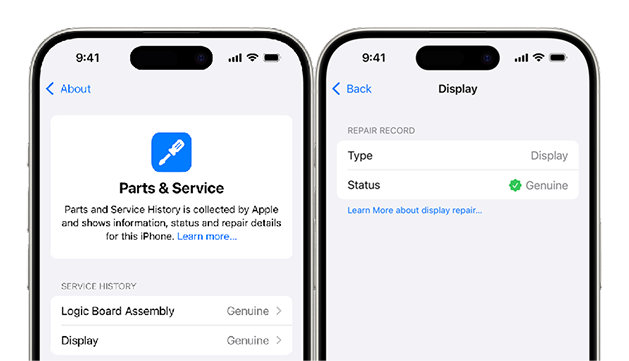
Genuine Display – “Genuine”
If a genuine Apple display is used during the replacement and properly paired with your device using Apple’s official tools, no “Important Display Message” or warning will appear.
When you go to Settings > General > About > Parts and Service History (available on iPhone XR and later with iOS 18+), it will show: “Genuine Part” or “Genuine”.
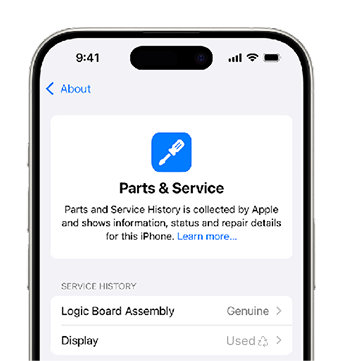
Used Display – “Used”
If the replacement display was previously installed in another iPhone, iOS will label it as “Used”. This means the display is an original Apple component, but it comes from a different device. The serial number or pairing information does not match the current iPhone it’s installed in.
Unknown Display – “Unknown”
If iOS cannot verify the authenticity of the display, or if the display was installed without the original front sensor flex cable, it will display the message “Unknown”.
This message most commonly appears when non-genuine parts are used or when there are issues with calibration.
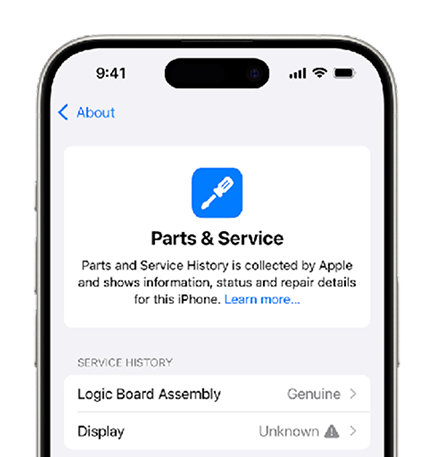
These messages don't affect your ability to use your iPhone.
What to Watch Out for When Replacing a Display
Labels like “Genuine”, “Used”, or “Unknown” aren’t just technical terms - they provide important insights into the origin of the parts used, which can directly impact your iPhone’s functionality and your overall repair experience.
We understand that your decision may depend on price, availability, and your current situation. We're here to help you choose the option that works best for you.
Whether you're considering new or refurbished parts, we explain the pros and cons in more detail in the section “Quality Standards of Spare Parts.”
Got questions or need a quick solution? Chat with us anytime.

