


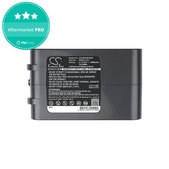


When should you replace your vacuum cleaner battery?
Batteries have a limited lifespan, and their performance gradually changes with use. The following signs may indicate battery wear or damage:



With a robot vacuum cleaner, you may also notice that it can no longer clean the same area on a single charge as before or needs to return to its charging station more frequently during cleaning.
However, not every runtime or charging issue automatically means the battery is faulty. If you are unsure what is causing the problem, it is advisable to check the condition of the device and its charging system before replacing the battery.
Important: If the battery is swollen, deformed or otherwise visibly damaged, stop using and charging the device. Do not puncture the battery or attempt to disassemble it yourself.
With a robot vacuum cleaner, you may also notice that it can no longer clean the same area on a single charge as before or needs to return to its charging station more frequently during cleaning.
However, not every runtime or charging issue automatically means the battery is faulty. If you are unsure what is causing the problem, it is advisable to check the condition of the device and its charging system before replacing the battery.
Important: If the battery is swollen, deformed or otherwise visibly damaged, stop using and charging the device. Do not puncture the battery or attempt to disassemble it yourself.
How to choose the right battery for your vacuum cleaner?
When choosing a replacement battery, the most important factor is compatibility with your specific robot or stick vacuum cleaner model. Two batteries that look similar are not necessarily interchangeable.
Even within the same brand, different vacuum cleaner models may use batteries with different specifications. Do not rely solely on the brand or the appearance of the battery – always verify compatibility with your exact device model.
What affects the lifespan of a vacuum cleaner battery?
Battery lifespan depends not only on the battery type and capacity but also on how it is used and charged. Factors that may affect it include the number of charging cycles, frequency of use, prolonged exposure to high temperatures and storage conditions.
Extreme temperatures and long-term storage of a completely discharged device are generally harmful to batteries. Following the manufacturer's charging and storage recommendations can help maintain battery performance throughout its service life.
Aftermarket or Aftermarket PRO batteries?
When choosing replacement batteries, you may come across the Aftermarket and Aftermarket PRO quality grades. Both refer to new, non-original batteries manufactured by third-party suppliers rather than the device manufacturer.
Aftermarket batteries represent the basic and most affordable option. They are particularly suitable if your main priority when choosing a replacement battery is the lowest possible price.
Aftermarket PRO batteries represent a higher quality grade of non-original replacement parts. Suppliers of these parts are selected more carefully, making them a suitable choice if you place greater emphasis on the quality of the replacement part as well as its price.
For both quality grades, it is important to choose a battery designed for your specific vacuum cleaner model and verify its compatibility. The quality grade alone does not determine the battery's capacity, runtime or compatibility.
Replace the battery, not the entire vacuum cleaner
If your vacuum cleaner is still functional and the problem is caused by a worn-out battery, replacing the battery may be a more cost-effective alternative to buying a new vacuum cleaner. By replacing only the worn-out component rather than the entire device, you can extend the lifespan of your vacuum cleaner.
Replacing the battery also has environmental benefits. By continuing to use a functional device for longer, you can reduce the amount of electronic waste that would otherwise result from its premature disposal.
Do not dispose of used batteries in regular household waste. Take them to a designated battery collection point or an authorised battery take-back location.
Frequently asked questions
What does battery capacity in mAh mean?
Capacity in mAh (milliampere-hours) indicates the amount of electric charge a battery can store. When comparing two compatible batteries, a higher capacity may provide longer runtime on a single charge. However, the mAh value alone does not determine whether a battery is suitable for your vacuum cleaner.
Can I use a battery with a higher capacity?
You can use a higher-capacity battery only if it is designed for your specific vacuum cleaner model and meets its required specifications. A higher mAh rating alone does not guarantee compatibility.
Why is voltage important when choosing a battery?
Voltage, measured in volts (V), is an electrical parameter that must match the requirements of the specific vacuum cleaner. Do not choose a battery based solely on its capacity, connector or similar appearance. Always check the compatibility information for your model.
What is the difference between Li-Ion and Ni-MH batteries?
Li-Ion (lithium-ion) batteries generally offer lower weight, higher energy density and low self-discharge rates compared with other battery technologies. They are commonly used in newer robot and stick vacuum cleaners. Ni-MH (nickel-metal hydride) batteries have lower energy density and higher self-discharge rates. They can mainly be found in certain older vacuum cleaner models. Always use the battery type specified for your particular device model. Li-Ion and Ni-MH batteries are not automatically interchangeable.

