

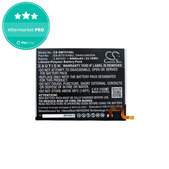

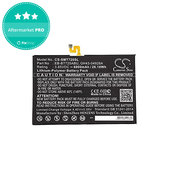
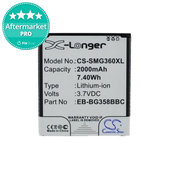
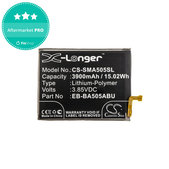
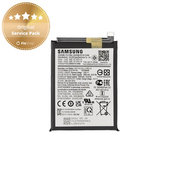
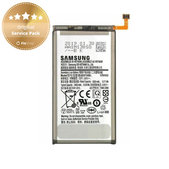
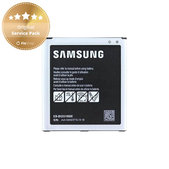
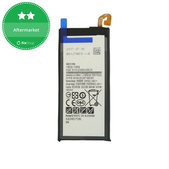
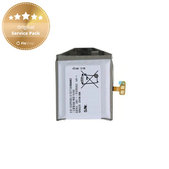
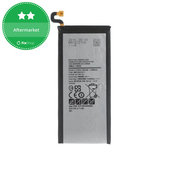
How to Choose the Right Battery for Samsung
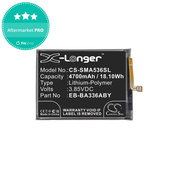
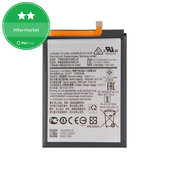
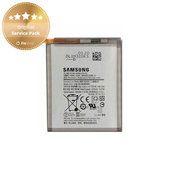
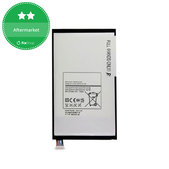
When choosing a battery, check the exact device model, the designation of the original battery, capacity, voltage and the information provided with the product.
1. Check the Exact Device Model
The model name alone, such as Samsung Galaxy A52, may not be sufficient. Also check the full device designation, such as SM-A525F or SM-A526B.
You can find it in the device settings, on the original packaging, on the proof of purchase or on the device label.
2. Compare the Original Battery Designation
Compare the replacement battery code with the designation on the original part, such as EB-BA505ABU or EB-BG991ABY. One battery may be suitable for several models, so follow the list of compatible devices provided with the product.
3. Choose the Required Quality
We offer Samsung batteries in Original Service Pack, Aftermarket PRO and Aftermarket quality categories. The availability of individual quality categories depends on the specific model.
More information about the cells used, manufacturing quality and product features is available on the Quality standards of spare parts page.
4. Check the Battery Capacity
The capacity of batteries for the same model may vary slightly. However, a higher value does not automatically mean longer battery life or better quality. When choosing, primarily follow the specified Samsung model compatibility and the information provided with the product.
5. Check the Voltage and Battery Type
The voltage and battery type must meet the device requirements. A similar shape, identical capacity or matching connector does not necessarily mean that the battery is suitable.
6. Check the Dimensions and Connector
Batteries for similar models may have different dimensions, flex cable shapes or connector positions. Do not modify, bend or forcibly connect an unsuitable battery.
7. Check the Package Contents
The product usually includes one battery. Battery adhesive, rear housing seal, tools and other components may not be included.
Check the exact contents in the name and description of the specific product.
When a Samsung Battery Needs to Be Replaced
Consider replacing the battery if the device discharges quickly, switches off unexpectedly, overheats significantly or displays an incorrect charge level. Stop using the battery and replace it as soon as possible if it is swollen, deformed, punctured or otherwise physically damaged.
How to Distinguish a Battery Problem from a Charging Fault
If the device does not charge, the battery may not be the cause. Check the charging cable, adapter and device connector. The problem may also be caused by a damaged charging connector, flex cable, charging circuit or software error.
Safe Samsung Battery Replacement
Do not puncture, excessively bend or overheat the battery during removal. Before fully reassembling the device, check that it switches on, charges and does not heat up unusually. Secure the new battery with suitable adhesive so that it does not move inside the device.
Batteries for Samsung Galaxy Models
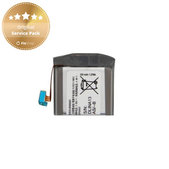
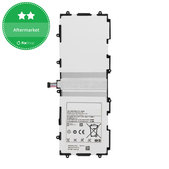
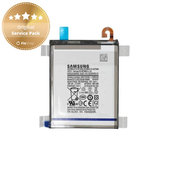
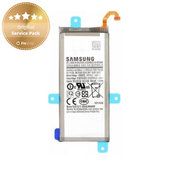
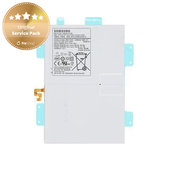
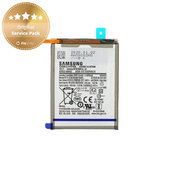
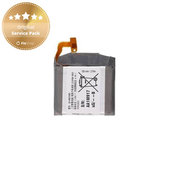
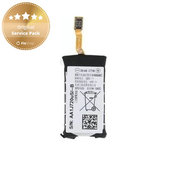
Our range includes batteries for older and newer Samsung phones, tablets and smartwatches.
Samsung Galaxy A
Samsung Galaxy A02s, A03, A03s and A05s
Samsung Galaxy A10, A10s, A12, A13 and A14
Samsung Galaxy A15, A16 and A20e
Samsung Galaxy A21, A21s, A22, A23 and A25
Samsung Galaxy A30, A30s, A31, A32, A33 and A34
Samsung Galaxy A40, A41 and A42
Samsung Galaxy A50, A51, A52, A52s, A53, A54 and A55
Samsung Galaxy A70, A71, A72, A73 and A80
Samsung Galaxy S
Samsung Galaxy S2, S3, S4, S5 and S6
Samsung Galaxy S7, S7 Edge, S8 and S8 Plus
Samsung Galaxy S9, S9 Plus, S10, S10e and S10 Plus
Samsung Galaxy S20, S20 Plus, S20 Ultra and S20 FE
Samsung Galaxy S21, S21 Plus, S21 Ultra and S21 FE
Samsung Galaxy S22, S22 Plus and S22 Ultra
Samsung Galaxy S23, S23 Plus, S23 Ultra and S23 FE
Samsung Galaxy S24, S24 Plus and S24 Ultra
Samsung Galaxy Note
Samsung Galaxy Note 3, Note 4, Note 5 and Note 8
Samsung Galaxy Note 9
Samsung Galaxy Note 10, Note 10 Plus and Note 10 Lite
Samsung Galaxy Note 20 and Note 20 Ultra
Samsung Galaxy Z
Samsung Galaxy Z Flip, Z Flip 3, Z Flip 4 and Z Flip 5
Samsung Galaxy Z Fold 2, Z Fold 3, Z Fold 4 and Z Fold 5
Foldable phones may use multiple battery cells. When choosing, check whether you are ordering the correct part or a complete set designed for the specific model.
Samsung Galaxy M and J
Samsung Galaxy M11, M12, M13, M20 and M21
Samsung Galaxy M22, M23, M30s, M31 and M32
Samsung Galaxy M33, M51, M52 and M53
Samsung Galaxy J1, J3, J5, J6 and J7
Selected versions depending on the year of manufacture and model designation
Samsung Galaxy XCover
Samsung Galaxy XCover 3, XCover 4 and XCover 4s
Samsung Galaxy XCover 5
Samsung Galaxy XCover 6 Pro
Samsung Galaxy XCover Pro
Samsung Galaxy Tab
Samsung Galaxy Tab 2, Tab 3 and Tab 4
Samsung Galaxy Tab A 10.1
Samsung Galaxy Tab A7 and Tab A7 Lite
Samsung Galaxy Tab A8
Samsung Galaxy Tab A9 and Tab A9+
Samsung Galaxy Tab S 10.5
Samsung Galaxy Tab S6, Tab S7 and Tab S7 FE
Samsung Galaxy Tab S8 and Tab S8 Ultra
Samsung Galaxy Tab S9, Tab S9+ and Tab S9 FE+
Samsung Galaxy Watch and Gear
Samsung Galaxy Watch 42 mm and 46 mm
Samsung Galaxy Watch 3
Samsung Galaxy Watch 4 and Watch 4 Classic
Samsung Galaxy Watch 5
Samsung Galaxy Watch 6
Samsung Galaxy Watch 7
Samsung Galaxy Watch FE
Samsung Galaxy Watch Active and Watch Active 2
Samsung Gear S2 and Gear S3
The range is continuously updated. Check the FixShop website for battery availability for a specific device.
More Samsung Device Repair Options
Do you repair devices at home? Join the Fix-Handyman programme and receive a discount on batteries, replacement parts, tools and other products.
Do you regularly purchase products for a repair shop or resale? Take advantage of our wholesale cooperation and receive product discounts based on your cooperation level and achieved turnover.
Replacement guides for batteries and other parts are also available for selected models.
Frequently Asked Questions - FAQ
Does a New Battery Need to Be Fully Charged Before First Use?
You can start using the battery without charging it for several hours beforehand. After replacement, charge it normally and monitor during the first few cycles whether the device charges and discharges evenly.
Do I Need to Fully Discharge a New Battery Several Times?
No. Lithium-ion and lithium-polymer batteries do not need to be regularly discharged to zero. Frequent full discharging may shorten their lifespan.
Why Does the New Battery Discharge Faster Than Expected?
This may be caused by high application power consumption, a weak signal, high display brightness, system updates or another device fault. Check the power consumption in the battery settings.
Can I Use a Battery with a Higher Capacity?
Only if it is explicitly designed for the specific device model. A similar shape or identical connector is not sufficient.
What Should I Do with the Old Battery?
Do not dispose of the old battery in household waste. Take it to a collection point, a shop that accepts used batteries or a recycling centre.
Can I Reuse the Original Battery Adhesive?
The original adhesive may be damaged after removal or may no longer secure the battery sufficiently. We recommend using new adhesive designed for the specific device.
Is It Normal for the Device to Become Slightly Warm While Charging?
Slight warming may be normal during charging. If the device becomes unusually hot, stop charging and check the battery, charger and condition of the device.
Will the Original Water Resistance Be Restored After Replacement?
Replacing the battery alone does not automatically guarantee the original level of water resistance. It depends on the condition of the housing, correct removal of the original seal, the use of new adhesive and the installation method.
Related Categories
Displays for Samsung
Replacement Parts for Samsung
Tools

