



Step 1 – Visit the page
Go to rmp.dpdgroup.com/016/ifix, where you can return any parcel you have received from us.
Step 2 – Select the language
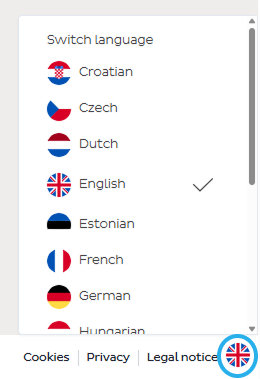
Click on the flag icon in the bottom right corner and choose the language that suits you.
Step 3 – Fill in the details
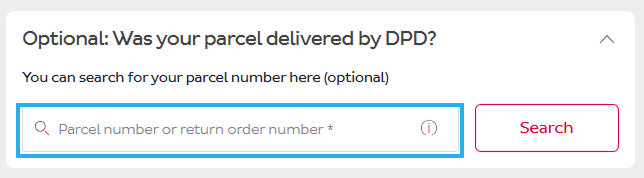
If your parcel was delivered by DPD, enter the tracking number assigned to your shipment in the Return parcel number field. Your details will be filled in automatically and you can continue.
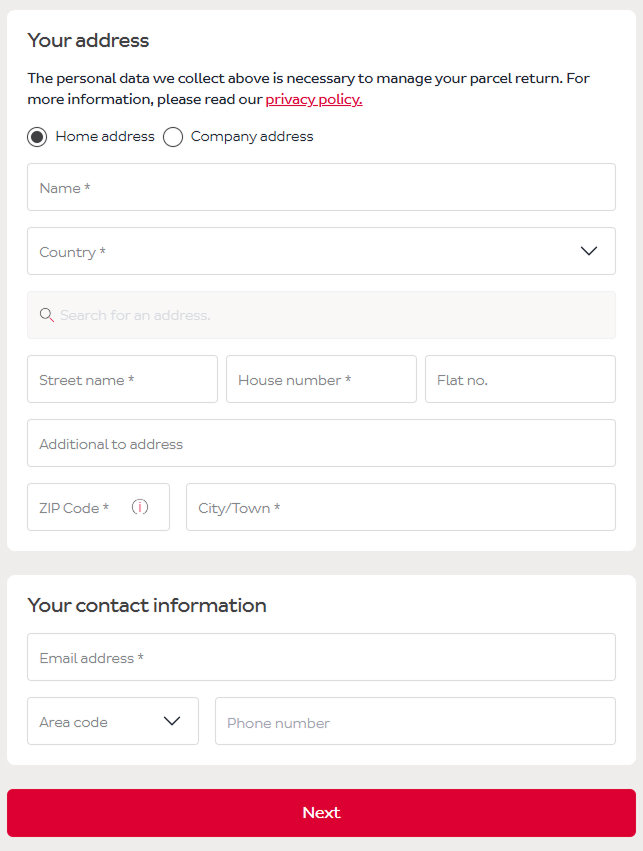
If the parcel was delivered by a carrier other than DPD, you need to fill in the form manually so that the system can generate a return shipping label.
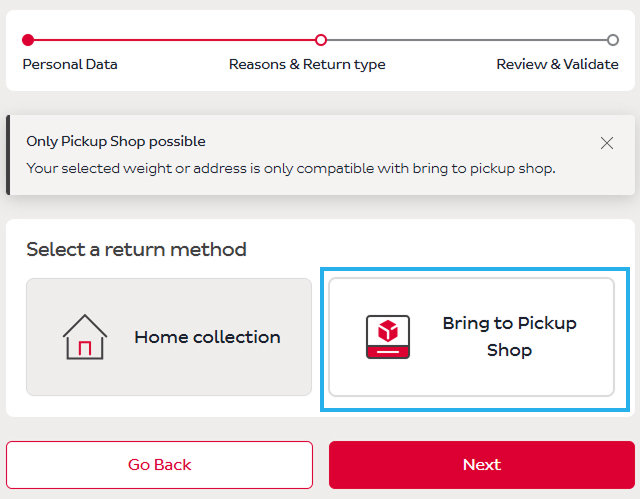
Step 4 – Choose the return method
In this step, select Bring to pickup point and continue by clicking Next.
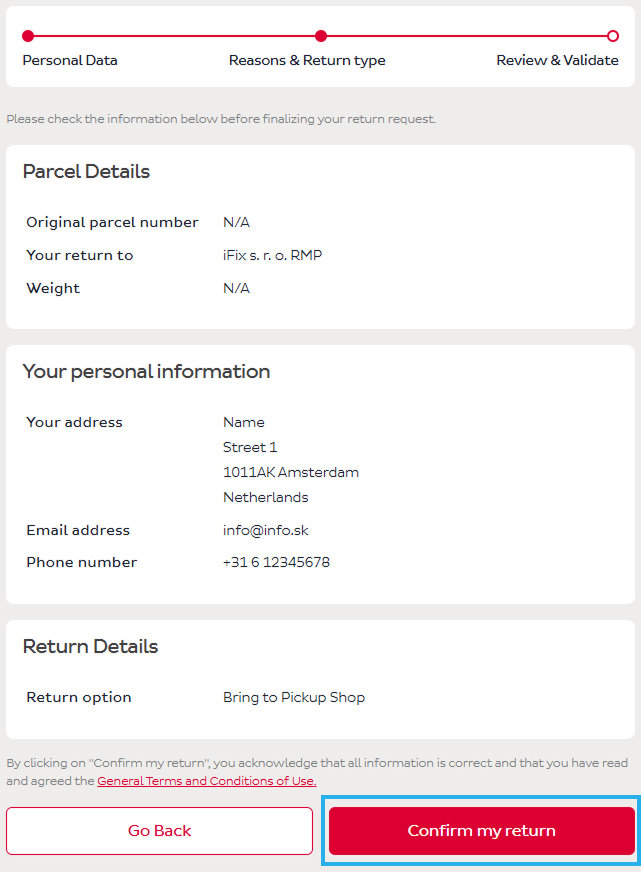
Step 5 – Check the details
Before completing the return request, review the information below.
- If everything is correct, continue by clicking Confirm return.
- If any information is incorrect, continue by clicking Go back.
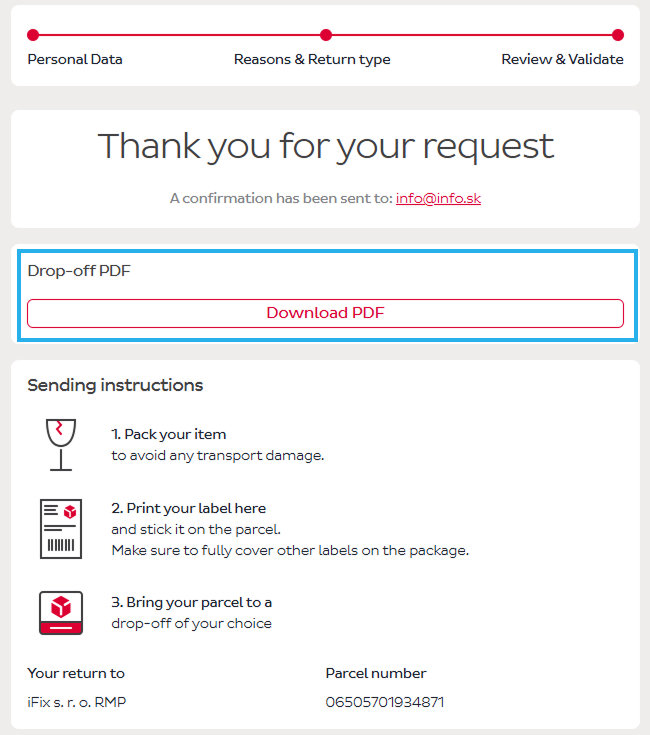
Step 6 – Print the label
After clicking Confirm return, you will receive a shipping label in PDF format, which must be printed and attached to the parcel. The information and the label will also be sent to your email.
Then continue following the instructions.
Don’t have a printer? We recommend contacting DPD customer support or visiting the nearest pickup point to check the available options.
Step 7 – Include in the parcel
The parcel must clearly state whether it is a return or a claim.
Please write this information on a piece of paper and place it inside the parcel along with the product.

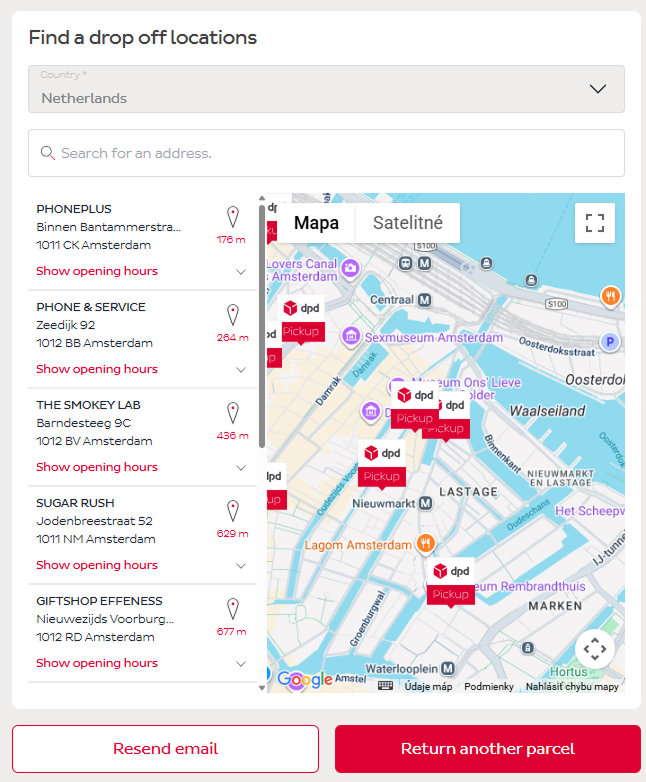
Step 8 – Choose the pickup point
Based on the address you entered, the nearest pickup points where you can bring the parcel will be displayed.
Step 9 – Send the parcel
Attach the printed label to the parcel in which you packed the product along with the included information (return/claim), and bring it to the pickup point so it can be delivered back to us.
Additional information:
Return deadline: If a deadline is set for the return, make sure to send the parcel on time.
Need help? If you have any questions, please contact our customer support.

