



How to Identify Your Exact iPad Model
Individual iPad generations may differ in dimensions, connectors, and display construction. Before ordering, compare the information listed with the product to the exact designation of your device.
The model number has the format Axxxx, for example A1893. You can find it on the back of the iPad or directly on the device under:
Settings → General → About → Model Number
Tap the displayed number to reveal the designation in the Axxxx format.
When selecting a part, check in particular:
- the Axxxx model number,
- the iPad generation and screen size,
- the colour of the part,
- the Wi-Fi or Cellular version,
- the type of display or touchscreen,
- whether a frame is included,
- any additional information listed with the specific product.
Do not rely solely on the iPad name. The same product series may include several generations that use different parts.
When an iPad Display Needs to Be Replaced
Replacing the LCD or complete display assembly may be necessary if:
- the display does not show an image,
- the image flickers or cuts out,
- lines, spots, or damaged pixels appear,
- colours are distorted,
- the display is damaged together with the front glass,
- the touch function does not work and the touch layer is part of the complete display assembly.
Before ordering, check whether your model uses a separate touchscreen or a complete display assembly with an integrated touch layer.
When Replacing Only the Touchscreen May Be Sufficient
A separate touchscreen may be suitable if the front glass is damaged but the LCD still displays the image correctly.
Consider replacing only the touchscreen particularly when:
- the image is clear and free of spots,
- the backlight works correctly,
- there are no lines or coloured stripes on the display,
- the damage affects only the glass or touch layer.
The possibility of replacing the touchscreen separately depends on the specific iPad model.
Comparison of iPad Display Quality Levels
| Quality | Part Origin | Characteristics | Suitable For |
|---|---|---|---|
| Genuine Apple | New original part from official Apple distribution | The highest available quality and original construction | Customers and repair centres requiring an original part |
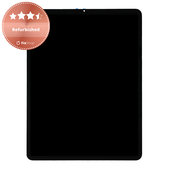
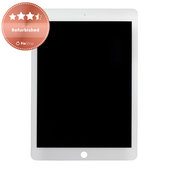
| Refurbished | Refurbished part with the original display from an original device | Retains the original display quality, while some components may have been replaced | Customers with higher image-quality requirements |
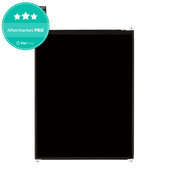
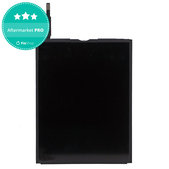
| Aftermarket PRO | New non-original part from selected suppliers | Higher-grade non-original part | Customers looking for a balance between price and quality |
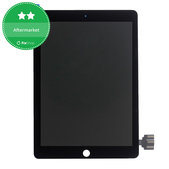
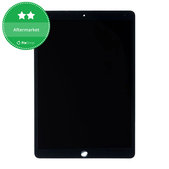
| Aftermarket | New non-original third-party part | The most affordable option, with possible differences in construction and image quality | Customers for whom a low price is the main priority |
Specific characteristics may vary depending on the model and product. Always read the description of the selected part and the Quality standards of spare parts page for more details.
What to Check Before Installation
Before attaching the display, removing the protective films, or fully reassembling the device, connect and test the part first.
Check:
- image display,
- brightness and backlight,
- touch response across the entire surface,
- colours, lines, and spots,
- the connectors and dimensions of the part,
- compatibility with the exact iPad model.
Do not apply excessive pressure to the display or bend the flex cables during installation. Improper handling may damage both the new part and the device.
iPad Repair Guides
When replacing the part yourself, follow a repair guide intended for the exact iPad model. Different generations may have different connector, flex cable, and mounting-component layouts.
View our iPad repair guides and prepare the appropriate tools and adhesive components before starting.
Better-Value Parts and Tools
Home repair enthusiasts can use the Fix-Handyman programme, which offers benefits when purchasing replacement parts and tools.
Professional repair centres and business customers can apply for wholesale cooperation and receive better prices based on their achieved turnover.
Related Categories
iPad Batteries
Replacement Parts
Repair Tools
Screen Protectors and Films for iPad
Frequently Asked Questions – FAQ
How can I determine which display is compatible with my iPad?
The most reliable information is the model number in the Axxxx format. Compare it with the compatibility information listed with the product. Also check the generation, screen size, colour, and Wi-Fi or Cellular version.
Do I only need to replace the touchscreen?
A separate touchscreen may be sufficient if the LCD displays the image correctly and only the glass or touch layer is damaged. However, on some models, the touch layer is bonded to the display, and the complete display assembly must be replaced.
What is the difference between an LCD display and a complete display assembly?
The LCD display produces the image. A complete display assembly may include the LCD or OLED panel, touch layer, front glass, and, depending on the product, a frame or additional components.
Which display quality should I choose?
Genuine Apple is the original option, Refurbished retains the original display, Aftermarket PRO represents a higher-grade non-original part, and Aftermarket is the most affordable alternative. Check the exact characteristics listed with the specific product.
b
Yes. Connect the part before attaching it and check the image, backlight, colours, and touch response across the entire surface. Remove the protective films only after the part has been successfully tested.
Do I need new adhesive when replacing the display?
In most cases, yes. The original adhesive is damaged during disassembly and may no longer provide a secure seal for the device. Always check the package contents listed with the specific product.

