





How to choose the right power adapter for your notebook?
When choosing a replacement power adapter, the most important step is to check its compatibility with the specific notebook. Even devices from the same brand or product series may use different adapters.
When choosing an adapter, check in particular:
- the exact notebook model,
- the compatibility specified for the adapter,
- output voltage (V),
- adapter power output (W),
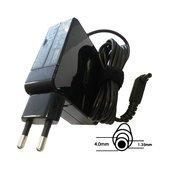
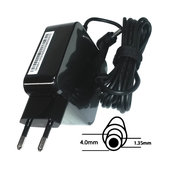
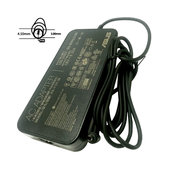
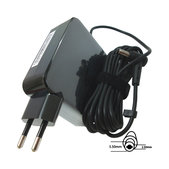
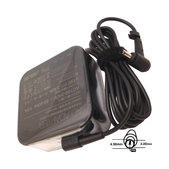
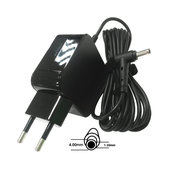
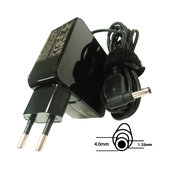
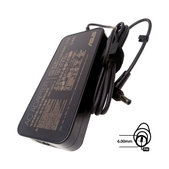
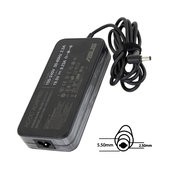
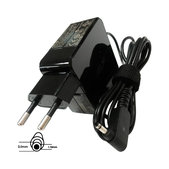
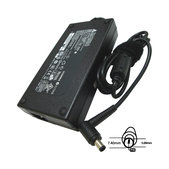
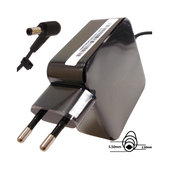
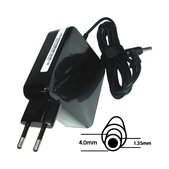
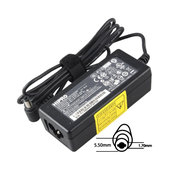
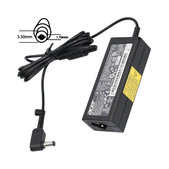
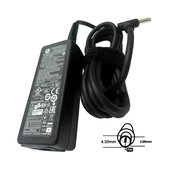
- the type and design of the power connector,
- the designation of the original adapter, if available.
These specifications need to be considered together. For example, two adapters with the same power output may not have the same voltage or connector, while adapters with similar-looking connectors may not be designed for the same devices.
Adapter power output – what do watts (W) mean?
The power output of a power adapter is measured in watts (W) and indicates the amount of electrical power the adapter is capable of supplying to the device. Notebook power requirements can vary significantly depending on their design and hardware.
Notebook adapters may therefore have power ratings such as 45 W, 65 W or 90 W, as well as higher-power variants such as 150 W, 180 W, 230 W or 280 W. These are examples of different power ratings – the required power output depends on the specific notebook.
The wattage is therefore one of the key specifications used to distinguish between different power adapters.
Adapter voltage – what do volts (V) mean?
The output voltage of a power adapter is measured in volts (V). It is an electrical parameter for which the power supply of a specific notebook is designed.
Notebook adapters may have output voltages such as 18.5 V, 19 V, 19.5 V or 20 V. There are also solutions that operate with multiple output voltages, for example with some types of USB-C power delivery.
The required voltage can be checked using the information on the original adapter, the device specifications or the compatibility information provided for the replacement product.
Power connectors are not always the same
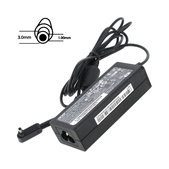
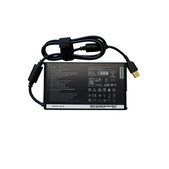
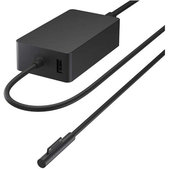
Notebook power adapters use different types of connectors. Traditional adapters commonly use round DC connectors, which are available in different sizes and designs. Some devices use other types of connectors, while USB-C is also used with newer notebooks.
Round connectors may differ, for example, in the outer and inner diameter of the connector or in its internal design. Two connectors may therefore look similar but may not be interchangeable.
The presence of a USB-C port alone does not mean that the notebook supports charging through that connector. This function must be supported by the specific device and the relevant port.
The original adapter designation can make selection easier
The label on the original adapter usually includes its electrical specifications and product or service designation. When looking for a replacement, you can therefore use both the notebook model and the information provided on the original adapter.
A replacement adapter does not necessarily need to have an identical product designation. One adapter may be a compatible replacement for several original designations or multiple notebook models. The compatibility information provided for the specific product is therefore essential.
When might a power adapter need to be replaced?
Signs of a problem with the adapter may include a complete loss of power, repeated interruptions while charging, or visible damage to the cable, connector or adapter housing. Do not continue using a physically damaged adapter or cable.
If the notebook is not charging, however, the cause may be elsewhere in the power system. The problem may be related to the notebook battery, a damaged or loose power connector, or another component of the device. In such cases, it is advisable to identify the cause of the problem before replacing a specific part.
What does Genuine Service Pack mean?
Some power adapters in the range may carry the Genuine Service Pack designation. This designation is used for genuine replacement parts intended for servicing and repair purposes.
Even for products with this designation, it is important to check which devices and models the specific adapter is designed for.
Power adapters for different notebook brands
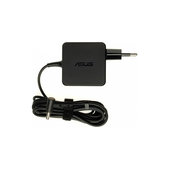
The range includes power adapters for Asus, Acer, Dell, HP, Lenovo, MSI, Microsoft, Sony and other brands. Different power ratings, voltages and connection types are used across individual brands.
Even notebooks within the same product series may not use the same adapter. When choosing an adapter, therefore, use the exact device model and the compatibility information provided for the specific product.
Frequently asked questions
Can a replacement adapter look different or be a different size from the original?
Yes. The physical dimensions and shape of the adapter housing do not have to be the same as those of the original adapter. Its electrical specifications, suitable power connector and compatibility with the specific notebook are the key factors when choosing a replacement.
What is the difference between adapter voltage (V) and power output (W)?
Voltage in volts (V) is an electrical parameter of the power supply, while power output in watts (W) indicates the amount of electrical power the adapter can supply. These are two different specifications and should not be confused when comparing adapters.
Where can I find the specifications of the original adapter?
The specifications are usually printed on a label on the adapter housing. This typically includes input and output electrical specifications as well as the product or model designation. When choosing a replacement, pay particular attention to the output specifications, which are usually labelled as Output.
What should I check when choosing a USB-C charger for a notebook?
In addition to checking whether the notebook supports charging via USB-C, you need to verify the notebook's power requirements and the adapter specifications. USB-C may use the USB Power Delivery (USB PD) standard, which allows compatible devices and chargers to negotiate supported voltage and power levels. The specific notebook, adapter and connection method must therefore meet the requirements of the device.
Can I use a notebook without a battery, powered only by the power adapter?
This depends on the design of the specific notebook. Some notebooks can operate directly from the power adapter without a connected or functional battery, while operation may differ with other devices. Always follow the manufacturer's instructions for the specific model.
More benefits when purchasing replacement parts
Whether you repair devices yourself or professionally, take advantage of better prices on replacement parts, tools and other equipment thanks to the Fix-Handyman and FixPartner programs.
Related categories:

