

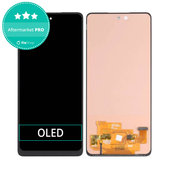

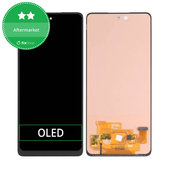
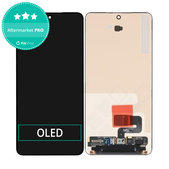
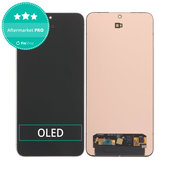


How to Choose the Right Display for Samsung
When choosing a display, check the exact device designation, part configuration, technology used, colour and package contents. Individual displays may differ in construction, connectors and supported functions.
1. Check the Exact Device Model
The model series name alone, such as Samsung Galaxy A54, may not be sufficient to select the correct part. The complete model designation, such as SM-A546B, is also important.
You can find it:
- in Settings > About phone,
- on the original packaging,
- on the purchase receipt,
- or on the device label.
Pay particular attention to devices available in both 4G and 5G versions, as they may use different displays.
2. Check Whether You Need a Display With or Without a Frame
A display without a frame is installed into the device’s original frame. Choose this version if the original frame is not bent, cracked or otherwise damaged. During installation, the original display must be removed, the surface cleaned and the new part precisely bonded into place.
A display with a frame includes a new frame into which the other device components are transferred during the repair. This version can simplify installation, but all components must still be transferred and connected correctly.
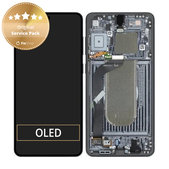
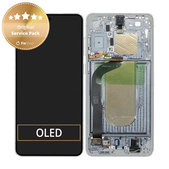
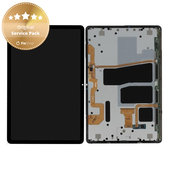
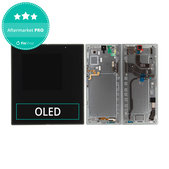
Check the exact design and components of the frame in the photographs and description of the specific product.
3. Choose the Required Quality
Samsung displays are available in three quality categories:
- Original Service Pack
- Aftermarket PRO
- Aftermarket
The availability of individual quality categories depends on the specific model and display type. When choosing, follow the quality designation, technical specifications and information provided with the product.
More information about individual display qualities, components used and supported functions can be found on the Quality standards of spare parts page.
4. Check the Display Technology
Products may be labelled with technologies such as OLED, AMOLED or TFT LCD.
A replacement part may not use the same technology as the original display. Differences may be noticeable in brightness, contrast, colour reproduction, viewing angles or battery consumption.
The specifications listed for the specific product are always decisive.
5. Check Fingerprint Sensor Support
Some Samsung smartphones have a fingerprint sensor located under the display. Its functionality may depend on the technology and construction of the replacement part.
For non-original displays, check whether fingerprint sensor support is stated in the product description. Some TFT displays may not support the fingerprint sensor or other original device functions.
6. Check the Colour
For displays with a frame, the colour refers to the frame of the display assembly. The designation is usually included directly in the product name, for example Black, Phantom Black, Graphite, Blue Black or Awesome Blue.
For displays without a frame, the colour designation may describe the appearance of the front section or the edges of the touchscreen.
7. Check the Exact Product Configuration
The product name and description may specify different part assemblies, such as:
LCD display with touchscreen,
LCD display with touchscreen and frame,
LCD display with touchscreen, frame and battery,
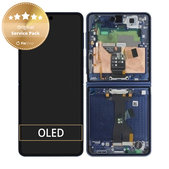
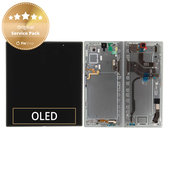
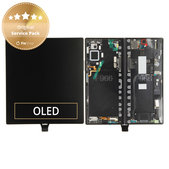
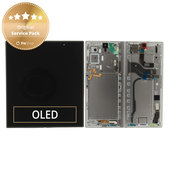
inner or outer display for a foldable smartphone,
separate touchscreen.
Also check whether the product includes the small components shown in the photograph. Adhesive, battery, speaker, sensors or service tools are included only when stated in the product name or description.
When a Samsung Display Needs to Be Replaced
Consider replacing the display especially when:
- the touchscreen is cracked or shattered,
- the screen remains black,
- the touch function does not respond or works only on part of the surface,
- the device registers ghost touches,
- lines or coloured stripes appear on the screen,
- black or coloured spots appear,
- the image flickers or switches off irregularly,
- the display has been damaged by impact or liquid.
In some cases, the same symptoms may also be caused by damaged connectors, flex cables or other components. It is therefore advisable to determine the exact cause of the fault before ordering a part.
When Replacing Only the Touchscreen Is Sufficient
Replacing the touchscreen alone may be considered when the image is displayed without defects, the touch function works across the entire surface and only the upper glass layer is damaged.
Separating the glass from the display and bonding a new glass panel is a technically demanding repair. It requires specialised equipment, suitable materials and professional experience. For repairs carried out at home, replacing the complete display assembly is therefore generally the safer option.
Displays for Samsung Galaxy Models
Our range includes displays for older and newer Samsung devices, including the following models and series:
Samsung Galaxy A
Samsung Galaxy A02s, A03, A03s and A05s
Samsung Galaxy A10, A10s, A12, A13 and A14
Samsung Galaxy A15 4G, A15 5G, A16 5G and A17
Samsung Galaxy A20, A21s, A22 and A22 5G
Samsung Galaxy A25, A32 5G, A33 5G and A34 5G
Samsung Galaxy A51, A52, A52s, A53 5G and A54 5G
Samsung Galaxy A70, A71, A72, A80 and A9 (2018)
Samsung Galaxy S
Samsung Galaxy S3, S4, S5 and S6
Samsung Galaxy S7, S7 Edge, S8 and S8 Plus
Samsung Galaxy S9, S9 Plus, S10, S10 Plus and S10e
Samsung Galaxy S10 Lite and S10 5G
Samsung Galaxy S20, S20 Plus, S20 Ultra and S20 FE
Samsung Galaxy S21, S21 Plus, S21 Ultra and S21 FE
Samsung Galaxy S22, S22 Plus and S22 Ultra
Samsung Galaxy S23, S23 Plus, S23 Ultra and S23 FE
Samsung Galaxy S24, S24 Plus, S24 Ultra and S24 FE
Samsung Galaxy M
Samsung Galaxy M11, M12, M13 and M15
Samsung Galaxy M20, M21 and M23 5G
Samsung Galaxy M30s, M31, M31s and M32
Samsung Galaxy M33 5G, M34, M35 and M51
Samsung Galaxy M52 5G, M53 5G and M55
Samsung Galaxy Note
Samsung Galaxy Note 3, Note 5 and Note Edge
Samsung Galaxy Note 8 and Note 9
Samsung Galaxy Note 10, Note 10 Plus and Note 10 Lite
Samsung Galaxy Note 20 and Note 20 Ultra
Samsung Galaxy Z
Samsung Galaxy Z Flip 3, Z Flip 4 and Z Flip 5
Samsung Galaxy Z Fold 3, Z Fold 4 and Z Fold 5
Samsung Galaxy XCover
Samsung Galaxy XCover 4 and XCover 4s
Samsung Galaxy XCover 5
Samsung Galaxy XCover 6 Pro
Samsung Galaxy XCover 7
Samsung Galaxy XCover Pro
Samsung Galaxy J
Samsung Galaxy J3, J4 Plus and J5
Samsung Galaxy J6, J6 Plus and J7
Samsung Galaxy Tab
Samsung Galaxy Tab S2 9.7
Samsung Galaxy Tab S11
other selected Galaxy Tab tablet models
The range is continuously updated. Check the FixShop website for the availability of a display for your specific model.
Samsung Device Repair Guides
Detailed guides for replacing displays, batteries and other parts are available for selected models. Before starting the repair, prepare the necessary tools, review each step and consider the difficulty of the repair.
View Samsung device repair guides.
Discounts for DIY Repairers and Professional Repair Shops
Do you repair devices at home? Join the Fix-Kutil programme and receive a discount on spare parts, tools and other products.
Do you purchase regularly for a repair shop or resale? Take advantage of our wholesale cooperation and receive product discounts based on your partnership level and achieved turnover.
Frequently Asked Questions - FAQ
Can a display intended for a different model designation be used?
Only if both designations are explicitly stated in the product name or description. A similar smartphone name does not mean that the part has the same dimensions, connectors and construction.
What Does Original Service Pack Mean?
It is an original Samsung service part supplied in service packaging by the manufacturer or through its distribution network.
Will a Replacement Display Retain the Original Refresh Rate?
It depends on the specific display. Some non-original replacements may have a lower refresh rate than the original part. The exact specification can be found in the product description.
Can a Non-Original Display Have a Smaller Viewing Area?
Yes. Some replacement displays may have a smaller active viewing area or wider bezels than the original display.
Can the Display Be Tested Before Installation?
Yes. Before bonding it into place, temporarily connect the display and check the image, touch function and supported features. Remove the protective films only after successful testing and before final installation.
Will Water Resistance Be Retained After Replacement?
Replacing the display alone does not automatically guarantee the original level of water resistance. The result depends on the condition of the frame, correct surface cleaning, the seal used and the installation method.
Does the Display Need to Be Calibrated After Replacement?
Most models do not require separate user calibration. After the repair, however, we recommend checking the touch function across the entire surface, brightness, colours, sensors and other display-related functions.
Related Categories
Batteries for Samsung
Spare Parts
Tools

