



Apple MacBook Pro 13" A1706 (Early 2016 - Late 2017) - Battery A1819 4320mAh FixPremium
Compatibility
Apple MacBook Pro Touch 13 A1706 (EMC 3163) Mid 2017
Apple MacBook Pro Touch 13 A1706 (EMC 3071) Late 2016
The replacement battery for Apple MacBook Pro 13" Retina A1706 (Early 2016 - Late 2017), which you can use if the battery on your device needs to be replaced, whether it has stopped charging to 100%, is damaged, or has become obsolete over time. Aftermarket PRO spare part.
Match code
APP9862
Artikel
1100065705
- Add to wishlist

Apple MacBook Pro 13" A1706 (Early 2016 - Late 2017) - Battery A1819 4320mAh FixPremium
55.44 €
Battery for MacBook
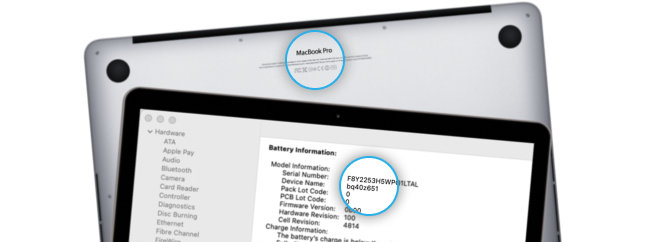
Serial number
Serial No.: W88401231AX*
You can find it in "About Mac"
Model number
Model No.: A1534*
You can find it on the bottom cover.
Model Identifier (Model ID)
MacBookAir8,2 or Mac 15,3*
You can find it in "About Mac"
EMC Number
EMC No.: 1969*
You can find it on the bottom cover.
*Example of labeling
If the model number is not visible, just enter the serial number to find out. www.checkcoverage.apple.com
Included in pack
ready to install
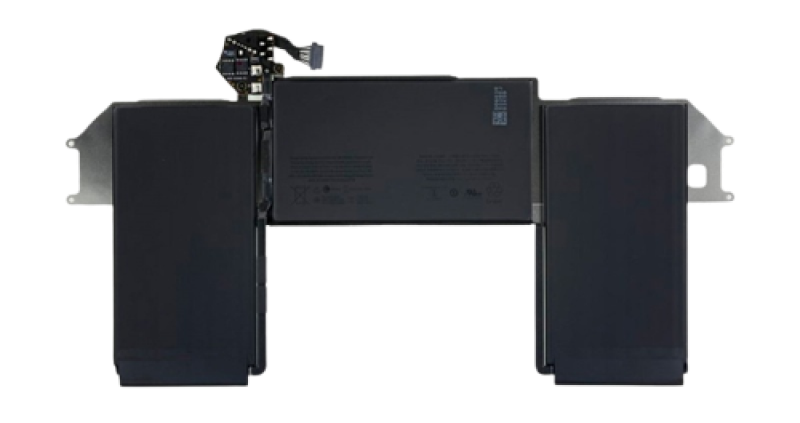
Battery with adhesive
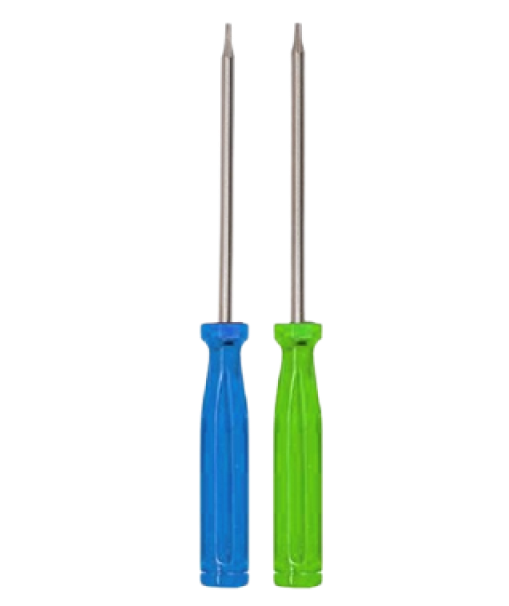
Screwdrivers
Not included in pack
better buy, to do it perfect
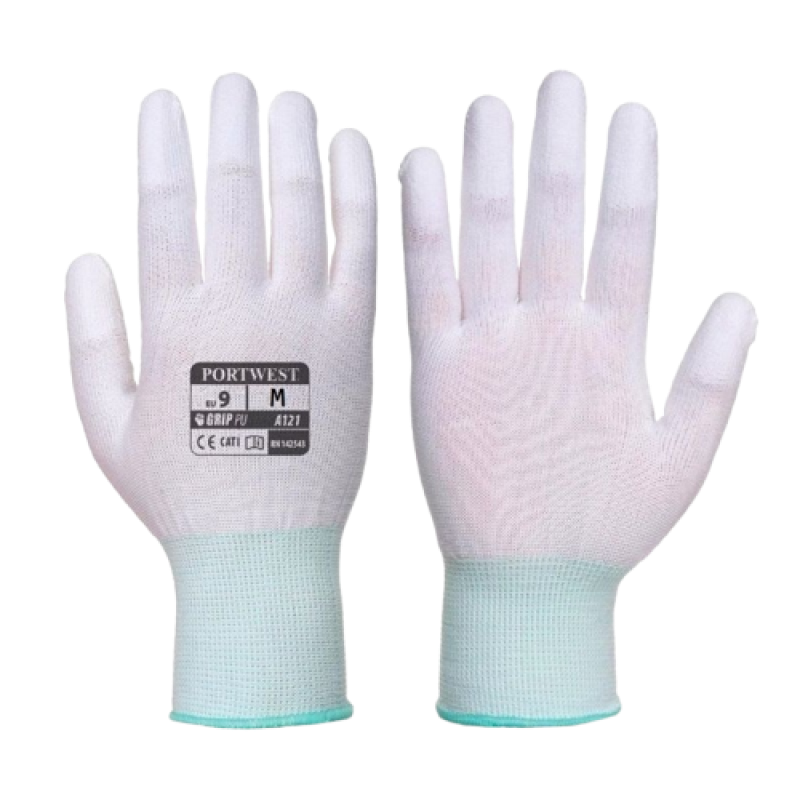
ESD Rubber Gloves
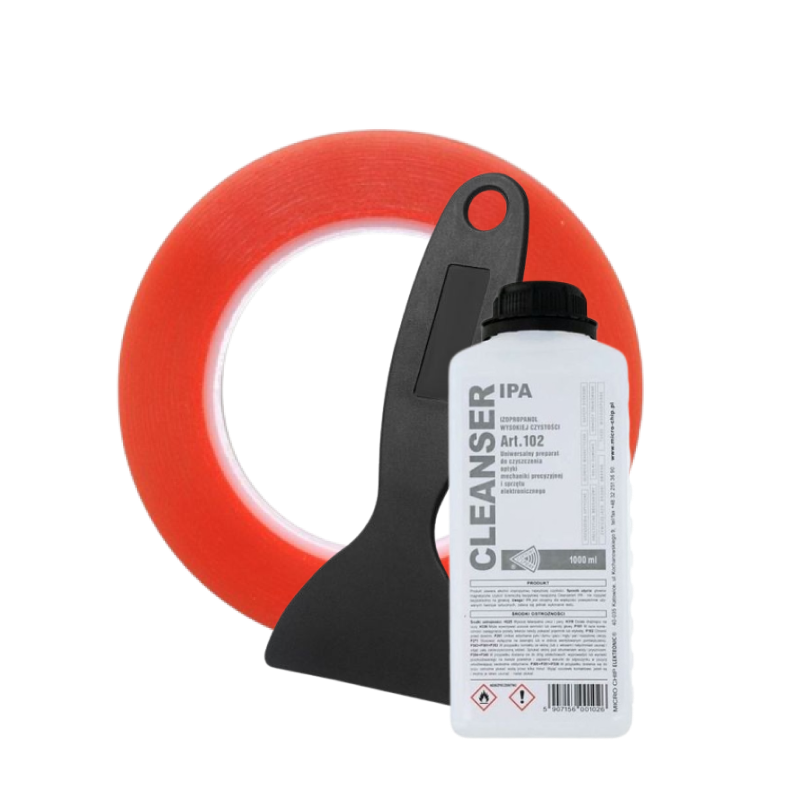
Tools

The replacement MacBook battery
you need when your original battery is

DAMAGED

INFLATED

DISCHARGES QUICKLY

OVERHEATS

CANNOT BE CHARGED TO 100%

POOR BATTERY STATUS INDICATION
OUR PRODUCTS ARE GREAT BECAUSE

Premium quality

Overload protection

Surge protection

Overheating protection

Discharge protection

100% warrenty

HW protection

Short circuit protection
Comparison of MacBook batteries qualities
New
Price
ORIGINALITY
-
Non-original
IC chip
-
Non-original
Battery cells
-
+ / - 3%
Capacity
FUNCTIONALITY
-
Surge protection
-
Overheat protect
-
Discharge protect
-
HW protection
-
Short circuit protect
New
Price
ORIGINALITY
-
Non-original
IC chip
-
Non-original
Battery cells
-
+ / - 3%
Capacity
FUNCTIONALITY
-
Surge protection
-
Overheat protect
-
Discharge protect
-
HW protection
-
Short circuit protect
New
Price
ORIGINALITY
-
Non-original
IC chip
-
Non-original
Battery cells
-
+ / - 3%
Capacity
FUNCTIONALITY
-
Surge protection
-
Overheat protect
-
Discharge protect
-
HW protection
-
Short circuit protect





FixPremium battery
a new non-original battery, made by a third party,
not directly by the device manufacturer

Quality
FixPremium batteries with Pure Cobalt offer greater stability, safety, and performance comparable to original ones, while lasting more cycles and having a longer lifespan than standard aftermarket batteries.

Availability
Less available than Aftermarket

Price
The main advantage is the lower price compared to the original
Read more detailed informations
about MacBook battery
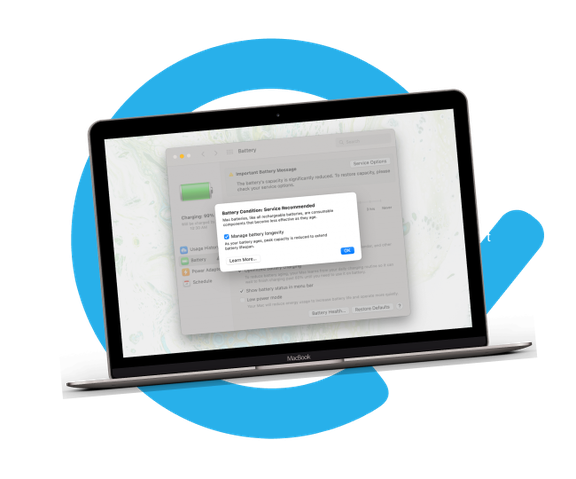
When to replace?
Battery Status: If an X symbol appears on the battery icon, your computer doesn't recognize the battery.
Performance Issues: Short battery life or inability to turn on without power suggests battery problems.
Service Warnings: Look for 'Your battery needs service' or 'Battery service' alerts.
Replace Soon: The battery, while functional, holds less charge and should be replaced soon.
Replace Now: The battery's charging capacity has significantly deteriorated. Replace immediately to avoid damage to your laptop.

Reasons to replace
- Low battery life
- Unexpected device shutdown
- MacBook won't charge - Device won't turn on without charger/adapter.
- Battery status alert (recommended service, replace soon, replace now).
- The device cannot be started
- MacBook restarts automatically
- Inflated battery
- The screen shows "battery icons" only when connected, but the device won't start.
- The device indicates the battery status incorrectly
- Top case with trackpad or botom cover is bloated
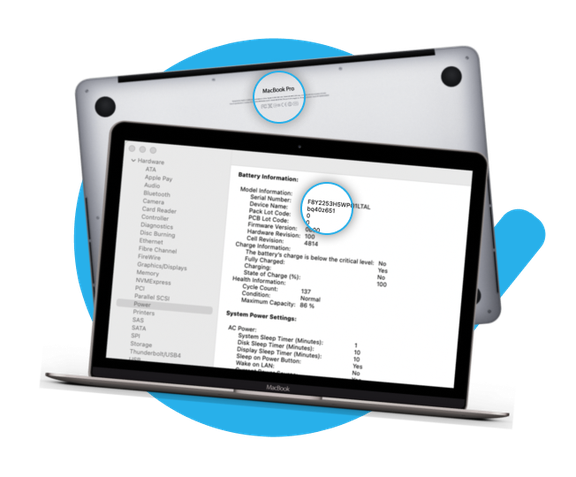
How to identify MacBook model properly?
Your Mac provides several tools to help you identify it.
Use the Serial Number, Model Number, Model Identifier (Model ID), and EMC Number to determine which MacBook Air/MacBook Pro model you have.
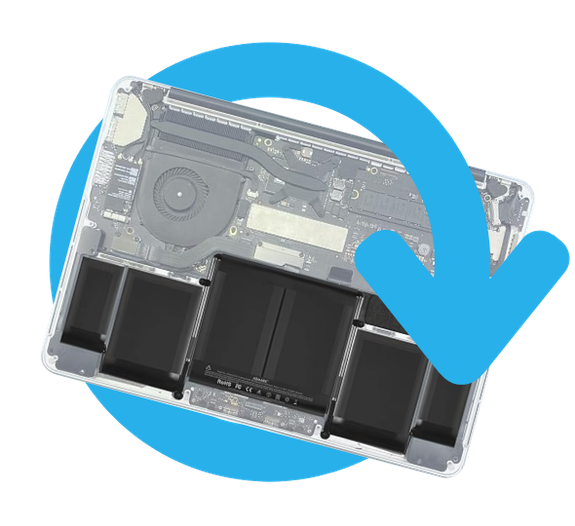
About battery
Every MacBook has a certain number of charge cycles. The current number of cycles is listed in the Battery Information section directly in Mac OS.
Press and hold Option (Alt) → Go to Menu → Select System Information → Power Options.
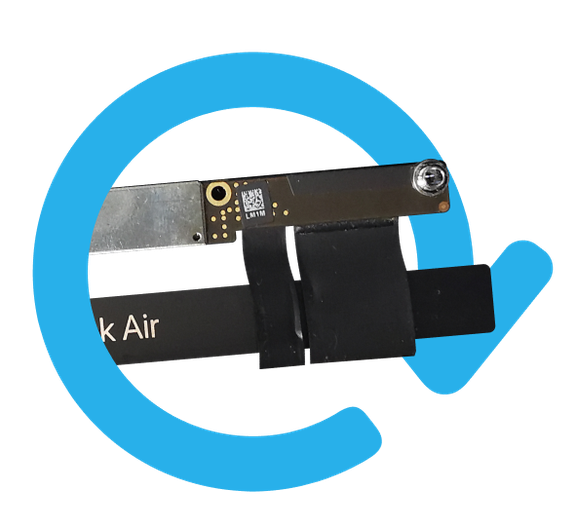
Tips before installation
- Drain battery below 25%
- Do not bend or puncture the battery when handling it
- Plastic tools only
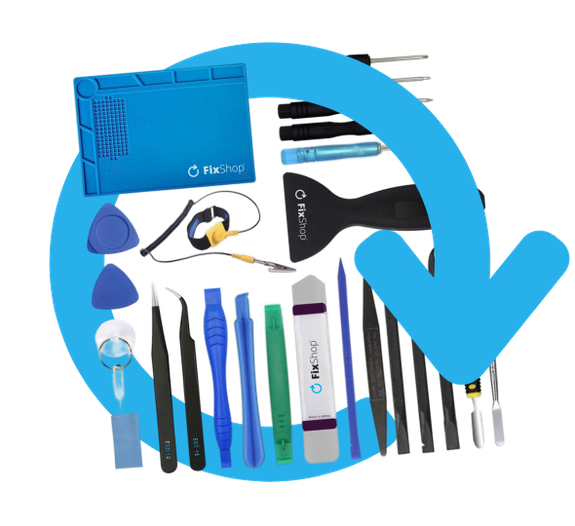
Professional tools
for MacBook
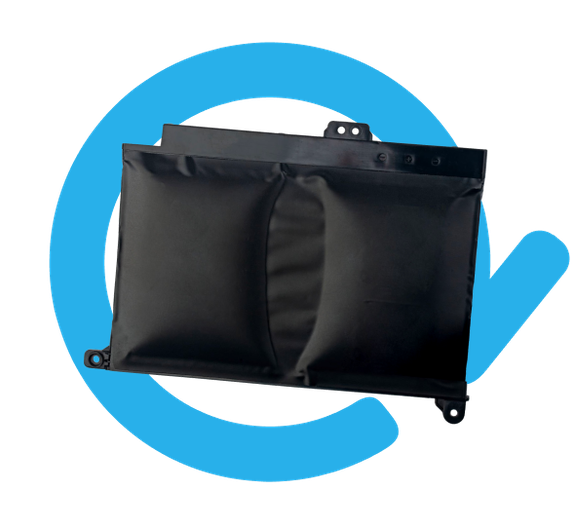
Warning
- Lithium-ion batteries are a fire hazard due to swelling, age or failure.
- If your battery is swollen, our blog has information on how to properly handle a swollen battery.
- Do not throw the battery in the trash. Take it to a specialized recycling center where it will be disposed of safely.
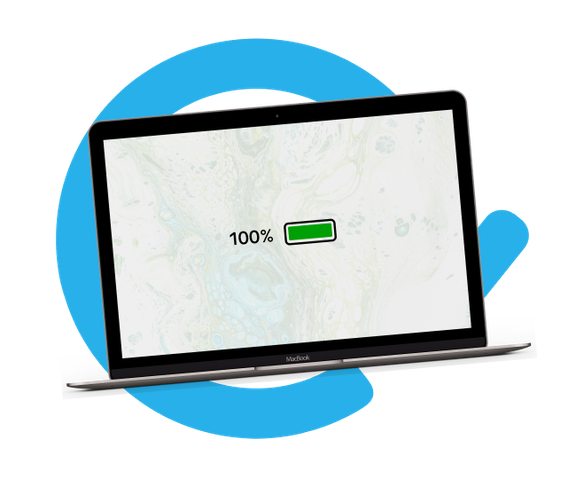
Battery calibration
Calibrate your newly installed battery for optimal performance. Charge it to 100%, then use the device until it turns off due to low battery. Finally, charge it continuously to 100% again.
Tips before disassembly
- Drain battery below 25%
- Do not bend or puncture the old battery
- Use only plastic tools
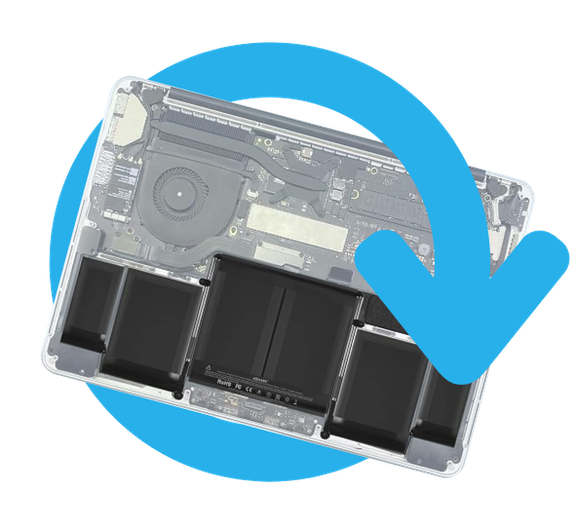
Warranty 6-24 months*


WE SUPPORT RIGHT TO REPAIR
#1 53 million tons of electronic waste are produced annually
#2 E-waste is the fastest growing waste in the world
#3 Only 15 - 20% is recycled
- REPAIR
- REUSE
- REFURBISH

-
Battery for Apple MacBook Pro Touch 13 A1706 (EMC 3071) Late 2016
If the battery on Apple MacBook Pro Touch 13 A1706 (EMC 3071) Late 2016 has inflated or lost capacity, it needs to be replaced.
When do you need to replace the battery?
- the battery is inflated
- the device discharges quickly
- the device is overheating
- the device cannot be charged to 100%
- the device does not correctly indicate the battery status
Quality of spare parts
Quality: Aftermarket PRO- A display sold as Aftermarket PRO is manufactured to the same standards, specifications and materials as the original. Aftermarket PRO quality displays feature OLED technology. The supplier of Aftermarket PRO displays is selected by our purchasing department to meet the highest quality requirements. This is a copy of the original, and a display supplied as an Aftermarket PRO may (in rare cases) have minimal variations in functionality, quality or appearance. To find out more about quality, read our blog where we focus on quality in more detail.
Assembly and tips:
- special tools, which can be found in our offer, are required for assembling or disassembling
- while assembling, pay attention to the fragile parts of the connectors
- test the functionality of the part before assembling
- try to perform repairs in a dry, dust-free environment without direct sunlight
- the assembly of the part should be carried out by a qualified person
- we are not responsible for any damages caused during installation
- if you have any questions, please contact us at info@fixshop.eu or +4212/22133399.
Warranty conditions:
- the product is new, has never been used and is in its original packaging
- the order is well packed to prevent damage during transport
- warranty for goods: natural persons 24 months, entrepreneurs: legal entities and self-employers (ID number on the purchase document) see our Terms and conditions and complaint conditions
- the warranty covers manufacturing defects, not mechanical damage
- a mechanically damaged spare part cannot be claimed
- if trademark stamp will be damaged your claim will be dismissed
Have you seen our entire product portfolio and didn´t found a spare part suitable for your device Apple MacBook Pro Touch 13 A1706 (EMC 3071) Late 2016 ? Or do you have any additional questions? Do not hesitate to contact us in any matter by e-mail at info@fixshop.eu or by phone +4212/22133399.
-
Specification
Device type
Category
Originality
Netto weight (kg)
0.055
Ean
2200000355249
In our e-shop you will find 3 main quality categories. These classes also have their subdivisions, according to the type of device or the level of responsible quality of the spare part.
-
Spare parts labeled as Service Pack are parts of the highest quality. Refurbished are parts removed from a previously used device.
Price
Quality
-
Spare parts labeled as FixPremium are manufactured by a third party, not directly by the device manufacturer. They offer the best price-to-quality ratio.
Price
Quality
-
Spare parts labeled as Aftermarket are manufactured by a third party, not directly by the device manufacturer. They have various deviations in quality.
Price
Quality












Comparison of iPhone display qualities
iPhone X, XS, XS Max, 12, 13, 14, 15, 13 mini, 12 mini, 11 Pro, 12 Pro, 13 Pro, 14 Pro, 15 Pro, 11 Pro Max, 12 Pro Max, 13 Pro Max, 14 Pro Max, 15 Pro Max, 14 Plus, 15 Plus
New
Soft OLED
Technology
Price
Brightness
Colorful
ORIGINALITY
-
Original
Touch glass
-
Original
IC and flex cable
-
Original
Polarizer
-
Original
Digitizer
FUNCTIONALITY
-
True Tone
-
Face ID
-
Refresh rate*
NOTIFICATIONS
-
Unknown parts
Not displayed
-
Important Messaage
Not displayed
New
Soft OLED
Technology
Price
Brightness
Colorful
ORIGINALITY
-
Original
Touch glass
-
Original
IC and flex cable
-
Original
Polarizer
-
Original
Digitizer
FUNCTIONALITY
-
True Tone
-
Face ID
-
Refresh rate*
NOTIFICATIONS
-
Unknown parts
-
or
-
Important Messaage
Refurbished
Soft OLED
Technology
Price
Brightness
Colorful
ORIGINALITY
-
Non-original
Touch glass
-
Original
IC and flex cable
-
Non-original
Polarizer
-
Original
Digitizer
FUNCTIONALITY
-
True Tone
-
Face ID
-
Refresh rate*
NOTIFICATIONS
-
Unknown parts
-
or
-
Important Messaage
Refurbished
Soft OLED
Technology
Price
Brightness
Colorful
ORIGINALITY
-
Non-original
Touch glass
-
Non-original
IC and flex cable
-
Non-original
Polarizer
-
Original
Digitizer
FUNCTIONALITY
-
True Tone
-
Face ID
-
Refresh rate*
NOTIFICATIONS
-
Unknown parts
-
or
-
Important Messaage
New
Soft OLED
Technology
Price
Brightness
Colorful
ORIGINALITY
-
Non-original
Touch glass
-
Non-original
IC and flex cable
-
Non-original
Polarizer
-
Non-original
Digitizer
FUNCTIONALITY
-
True Tone
-
Face ID
-
Refresh rate*
NOTIFICATIONS
-
Unknown parts
-
or
-
Important Messaage
New
Hard OLED
Technology
Price
Brightness
Colorful
ORIGINALITY
-
Non-original
Touch glass
-
Non-original
IC and flex cable
-
Non-original
Polarizer
-
Non-original
Digitizer
FUNCTIONALITY
-
True Tone
-
Face ID
-
Refresh rate*
NOTIFICATIONS
-
Unknown parts
-
or
-
Important Messaage
New
In-Cell
Technology
Price
Brightness
Colorful
ORIGINALITY
-
Non-original
Touch glass
-
Non-original
IC and flex cable
-
Non-original
Polarizer
-
Non-original
Digitizer
FUNCTIONALITY
-
True Tone
-
Face ID
-
Refresh rate*
NOTIFICATIONS
-
Unknown parts
-
or
-
Important Messaage
New
TFT
Technology
Price
Brightness
Colorful
ORIGINALITY
-
Non-original
Touch glass
-
Non-original
IC and flex cable
-
Non-original
Polarizer
-
Non-original
Digitizer
FUNCTIONALITY
-
True Tone
-
Face ID
-
Refresh rate*
NOTIFICATIONS
-
Unknown parts
-
or
-
Important Messaage








*Refresh rate applies to iPhone 13 Pro, 14 Pro, 15 Pro and 13 Pro Max, 14 Pro Max, 15 Pro Max
To preserve the True Tone functionality, it is necessary to copy the data and serial number from the original display to the new display assembly using a programmer. Otherwise, the feature will remain turned off/non-functional.
Face ID functionality is not affected by the diplay replacement, the module is included with other parts. We recommend that you take extra care when replacing it.
It can only be deactivated using the official software available at authorized Apple service providers.
Comparison of iPhone display qualities
iPhone 6, 7, 8, 6s, 6 Plus, 7 Plus, 8 Plus, XR, 11, SE 2016, SE 2020, SE 2022
New
IPS
Technology
Price
Brightness
Colorful
ORIGINALITY
-
Original
Touch glass
-
Original
IC and flex cable
-
Original
Polarizer
-
Original
Digitizer
FUNCTIONALITY
-
True Tone
-
Face ID
NOTIFICATIONS
-
Unknown parts
-
or
-
Important Messaage
Refurbished
IPS
Technology
Price
Brightness
Colorful
ORIGINALITY
-
Non-original
Touch glass
-
Original
IC and flex cable
-
Non-original
Polarizer
-
Non-original
Digitizer
FUNCTIONALITY
-
True Tone
-
Face ID
NOTIFICATIONS
-
Unknown parts
-
or
-
Important Messaage
Refurbished
IPS
Technology
Price
Brightness
Colorful
ORIGINALITY
-
Non-original
Touch glass
-
Non-original
IC and flex cable
-
Non-original
Polarizer
-
Non-original
Digitizer
FUNCTIONALITY
-
True Tone
-
Face ID
NOTIFICATIONS
-
Unknown parts
-
or
-
Important Messaage
New
In-Cell
Technology
Price
Brightness
Colorful
ORIGINALITY
-
Non-original
Touch glass
-
Non-original
IC and flex cable
-
Non-original
Polarizer
-
Non-original
Digitizer
FUNCTIONALITY
-
True Tone
-
Face ID
NOTIFICATIONS
-
Unknown parts
-
or
-
Important Messaage
New
TFT
Technology
Price
Brightness
Colorful
ORIGINALITY
-
Non-original
Touch glass
-
Non-original
IC and flex cable
-
Non-original
Polarizer
-
Non-original
Digitizer
FUNCTIONALITY
-
True Tone
-
Face ID
NOTIFICATIONS
-
Unknown parts
-
or
-
Important Messaage





iPhone, iPad, iPod, MacBook, Apple Watch, AirPods
New
Price
Original
Battery cells
-
Original
Capacity
-
Original
IC chip
FUNCTIONALITY
-
Battery health
-
Surge protection
-
Overheat protect
-
Discharge protect
-
HW protection
-
Short circuit protect
NOTIFICATIONS
-
Unknown parts
Not displayed
-
Important Messaage
Not displayed
New
Price
Original
Battery cells
-
Original
Capacity
-
Original
IC chip
FUNCTIONALITY
-
Battery health
-
Surge protection
-
Overheat protect
-
Discharge protect
-
Short circuit protect
-
HW protection
NOTIFICATIONS
-
Unknown parts
-
or
-
Important Messaage
New
Price
Non-original
Battery cells
-
Same as Original
Capacity
-
Non-original
IC chip
FUNCTIONALITY
-
Battery health
-
Surge protection
-
Overheat protect
-
Discharge protect
-
Short circuit protect
-
HW protection
NOTIFICATIONS
-
Unknown parts
-
or
-
Important Messaage
New
Price
Non-original
Battery cells
-
+ / - 3%
Capacity
-
Non-original
IC chip
FUNCTIONALITY
-
Surge protection
-
Overheat protect
-
Discharge protect
-
Short circuit protect
-
HW protection
-
Battery health
NOTIFICATIONS
-
Unknown parts
-
or
-
Important Messaage
New
Price
Non-original
Battery cells
-
+ / - 3%
Capacity
-
Non-original
IC chip
FUNCTIONALITY
-
Surge protection
-
Overheat protect
-
Discharge protect
-
Short circuit protect
-
HW protection
-
Battery health
NOTIFICATIONS
-
Unknown parts
-
or
-
Important Messaage



Explanation of the qualities of spare parts



Quality Service Pack & Refurbished
-
Spare parts labeled as GENUINE Apple are brand-new, original parts sourced directly from Apple’s official distribution, not from unauthorized sources. They are manufactured according to Apple’s strict standards and are of the highest quality.
They are an ideal choice for service centers, B2B partners, and professional technicians.
The display retains a 120 Hz refresh rate.
After replacing the display, battery, or front camera, the "Genuine" message will appear in your iPhone settings, confirming the authenticity of the component and proper calibration. When using these displays, the "Unknown Part" warning no longer appears.
-
Spare parts labeled as Service Pack are new parts directly from the distributor in the highest quality. They are manufactured using the same processes and materials.
Suitable for customers who prefer parts with the highest quality standard. The price of these parts is the highest compared to other qualities.
About iPhone Replacement Parts
Replacement parts labeled as Service Pack have not undergone final authorization by Apple, and therefore their serial numbers are not valid. As a result, these replacement parts cannot be considered fully compatible with Apple's IRP (Independent Repair Provider) program.Display for iPhone 13 Pro, 14 Pro, 15 Pro, and 13 Pro Max, 14 Pro Max, 15 Pro Max - retains a refresh rate of 120Hz.
After replacing the display, battery, or front camera, a "Important Message or Unknown Part" notification may appear on your iPhone's screen. This message does not affect the device's performance. The replacement of the part does not compromise the appearance or functionality of the device.
-
Spare parts labeled as Refurbished PRO are parts that have been removed from a previously used device.
To achieve 100% functionality and appearance, some components (such as the touch glass or frame) may be replaced with new ones. These new components are not original but are manufactured to the highest quality and closely resemble the original.
This type of display maintains the same level of image quality, brightness, and contrast as the display from the initial device.
A potential drawback may be slight variations in the size and thickness of the display frame. The touch response may also have minor deviations in reaction to tap, swipe, and hold gestures.
The display for iPhone 13 Pro, 14 Pro, 15 Pro, and 13 Pro Max, 14 Pro Max, 15 Pro Max retains a refresh rate of 120Hz.
By purchasing a refurbished display, you contribute to reducing electronic waste.
It is suitable for customers who want to preserve the existing display or have higher demands on display quality (such as for gaming).
After replacing the display, battery, or front camera, a "Important Message or Unknown Part" notification may appear on your iPhone's screen. This message does not affect the device's performance. The replacement of the part does not compromise the appearance or functionality of the device.
-
Spare parts labeled as Refurbished are parts that have been taken from a previously used device.
To achieve 100% functionality and appearance, some components (such as the touch glass, frame, or flex cable) may be replaced with new ones. These new components are not original but are manufactured to the highest quality and closely resemble the original.
This type of display maintains the same level of image quality, brightness, and contrast as the display from the initial device.
A potential drawback may be slight variations in the size and thickness of the display frame. The touch response may also have minor deviations in reaction to tap, swipe, and hold gestures.
The display for iPhone 13 Pro, 14 Pro, 15 Pro, and 13 Pro Max, 14 Pro Max, 15 Pro Max retains a refresh rate of 120Hz.
By purchasing a refurbished display, you contribute to reducing electronic waste.
It is suitable for customers who want to preserve the existing display or have higher demands on display quality (such as for gaming).
After replacing the display, battery, or front camera, a "Important Message or Unknown Part" notification may appear on your iPhone's screen. This message does not affect the device's performance. The replacement of the part does not compromise the appearance or functionality of the device.






FixPremium Quality
-
Spare parts labeled as FixPremium are new, non-original parts manufactured by a third party, not directly by the device manufacturer.
This is the quality we highly recommend and ensure is as high as possible. FixPremium batteries and displays are popular among customers.
FixPremium batteries with Pure Cobalt offer greater stability, safety, and performance comparable to original ones, while lasting more cycles and having a longer lifespan than standard aftermarket batteries.
-
Spare parts labeled as FixPremium Soft OLED are new, non-original parts manufactured by a third party, not directly by the device manufacturer.
This type of display is characterized by its low cost while maintaining brightness, contrast, and color accuracy similar to the original. However, its downside is that the display area is slightly smaller than the original. It is popular among customers because it offers the best combination of price and quality compared to the original.
The display for iPhone 13 Pro, 14 Pro, 15 Pro and 13 Pro Max, 14 Pro Max, 15 Pro Max has a reduced refresh rate of up to 90Hz.
Other displays in FixPremium Soft OLED quality have a reduced refresh rate of 60Hz.
Suitable for customers who appreciate a lower price while still wanting excellent display quality.
After replacing the display, battery, or front camera, a "Important Message or Unknown Part" notification may appear on your iPhone's screen. This message does not affect the device's performance. The replacement of the part does not compromise the appearance or functionality of the device.
-
Spare parts labeled as FixPremium Hard OLED are new, non-original parts manufactured by a third party, not directly by the device manufacturer.
This type of display is characterized by a low price while maintaining brightness, contrast, and color accuracy similar to the original. However, it has some drawbacks compared to the original display: it features thicker touch glass, a smaller display size, a slightly higher bottom bezel, and a thicker display frame, resulting in a "chin" at the bottom.
A smaller display area may result in partially visible icons in the Notch region.
The display for iPhone 13 Pro, 14 Pro, 15 Pro, and 13 Pro Max, 14 Pro Max, 15 Pro Max has a reduced refresh rate of up to 90Hz.
Other displays in FixPremium Hard OLED quality have a reduced refresh rate of 60Hz.
These are suitable for customers who are willing to accept lower quality compared to the original for a more affordable price.
After replacing the display, battery, or front camera, a "Important Message or Unknown Part" notification may appear on your iPhone's screen. This message does not affect the device's performance. The replacement of the part does not compromise the appearance or functionality of the device.
-
Spare parts labeled as FixPremium In-Cell are new, non-original parts manufactured by a third party, not directly by the device manufacturer.
This type of display is characterized by a low price and the use of In-Cell technology. However, it has some drawbacks compared to the original display: it may have slight variations in size and thickness of the display frame. It also has lower brightness and contrast, and the color accuracy is inferior.
The display for iPhone 13 Pro, 14 Pro, 15 Pro, and 13 Pro Max, 14 Pro Max, 15 Pro Max has a reduced refresh rate of up to 90Hz.
Other displays in FixPremium In-Cell quality have a reduced refresh rate of 60Hz.
Suitable for customers looking for the best price-to-quality ratio among TFT displays.
After replacing the display, battery, or front camera, a "Important Message or Unknown Part" notification may appear on your iPhone's screen. This message does not affect the device's performance. The replacement of the part does not compromise the appearance or functionality of the device.



Aftermarket Quality
-
Spare parts labeled as Aftermarket PRO are new, non-original parts manufactured by a third party, not directly by the device manufacturer.
Our procurement team carefully selects the suppliers of these replacement parts.
Aftermarket PRO batteries use Lithium Cobalt cells, which are of lower quality compared to original batteries but still meet the basic functionality requirements.
About Displays
All displays in Aftermarket PRO quality have a reduced refresh rate of 60Hz.After replacing the display, battery, or front camera, a "Important Message or Unknown Part" notification may appear on your iPhone's screen. This message does not affect the device's performance. The replacement of the part does not compromise the appearance or functionality of the device.
-
Spare parts labeled as Aftermarket are new, non-original parts manufactured by a third party, not directly by the device manufacturer.
This type of quality is characterized by a low price. The disadvantages include loss of functionality, lower quality, and appearance.
Aftermarket batteries use Lithium Cobalt cells, which are of lower quality compared to original batteries but still meet the basic functionality requirements.
These are suitable for customers who want the cheapest option and do not mind the loss of functionalities.
About Displays
Aftermarket displays have lower display quality, a smaller display area, and a slightly higher bottom bezel. The thickness of the display frame may have minor variations. Brightness, contrast, and color accuracy are lower, and viewing angles are worse.For iPhone displays, True Tone and Haptic Touch programming is not possible.
All displays in Aftermarket quality have a reduced refresh rate of 60Hz.
After replacing the display, battery, or front camera, a "Important Message or Unknown Part" notification may appear on your iPhone's screen. This message does not affect the device's performance. The replacement of the part does not compromise the appearance or functionality of the device.


Comparison of the quality of used Smartphones
Fully functional, tested, cleaned/disinfected with a special solution, and UV light. 1-year warranty
-
Like New
Category
-
Used, without signs of wear
Visual condition
-
Micro-scratches or 2 minor sratches up to 2mm
Display
-
Micro-scratches or 2 minor sratches up to 2mm
Frame
-
Micro-scratches or 2 minor sratches up to 2mm
Back cover
-
-
Fair
Category
-
Used, in very good condition, may have some signs of wear
Visual condition
-
Max. of 2 minor scratches, dots up to 5mm.
Display
-
Max. of 3 minor scratches, dots up to 2mm.
Frame
-
Max. of 3 minor scratches, dots up to 2mm.
Back cover
-
After replacing the display / battery / front camera, the message
Unknown parts / Important message
-
After battery replacement, information is not available
Battery health
-


-
Very Good
Category
-
Used, in good condition, has visible signs of wear
Visual condition
-
Small to medium scratches, may be slightly visible when the screen is turned on.
Display
-
May have 1-2 dents and up to 7 or more dots, color fading of the cover, scratches, and scuffs.
Frame
-
May have 1-2 dents and up to 7 or more dots, color fading of the cover, scratches, and scuffs.
Back cover
-
After replacing the display / battery / front camera, the message
Unknown parts / Important message
-
After battery replacement, information is not available
Battery health
-
-
Satisfactory C
Category
-
Used, shows significant signs of wear, dents, and scratches
Visual condition
-
Visible scratches, no cracks
Display
-
Has dents, spots, bulges, color fading on the cover, scratches, and grooves
Frame and back cover
-
After replacing the display / battery / front camera, the message
Unknown parts / Important message
-
After battery replacement, information is not available
Battery health
-


Comparison of the quality of used Earphones and Charging Case
Fully functional, tested, cleaned/disinfected with a special solution, and UV light. 1-year warranty
-
Unpacked A++
Category
-
Brand new, without any signs of use.
Visual condition
-
New
Earphones
-
New
Charging Case
-
New
AirPods Max - Body
-
New
AirPods Max - Cushions
-
-
Very good A
Category
-
Used, in very good condition, may have some signs of wear.
Visual condition
-
Micro scratches
Earphones
-
Micro scratches
Charging Case
-
Hairline abrasions not visible at elbow distance
AirPods Max - Body
-
Without damage or stains
AirPods Max - Cushions
-
-
Good B
Category
-
Used, in good condition, have visible signs of wear.
Visual condition
-
They may have scratches, scuffs, abrasions and dirt in the form of spots.
Earphones
-
They may have scratches, scuffs, abrasions and dirt in the form of spots.
Charging Case
-
Small to medium scratches, scuffs
AirPods Max - Body
-
They may have dirt in the form of spots
AirPods Max - Cushions
-


Orders received via Netherlands - DHL by 14:00 are shipped the same day, provided the goods are in stock, paid for (or you have an agreed invoice due date), or sent by cash on delivery. For all other carriers, the cutoff time is 15:00.
| Country | Service | Shipping | Cash on delivery | Delivery in (days) | FREE shipping |
|---|---|---|---|---|---|
| Belgium | Bpost - Home delivery | 12,20€ | - | 5 | above 1,000 € |
| Denmark | Post Nord - Home delivery | 13,50€ | - | 5 - 6 | above 1,000 € |
| Estonia | Omniva - Home delivery | 16,00€ | - | 5 | above 1,000 € |
| Finland | Post Nord | 23,00€ | - | 6 - 7 | above 1,000 € |
| Ireland | AnPost - Home delivery | 15,10€ | - | 4 - 5 | above 1,000 € |
| Italy | Bartolini | 13,90€ | - | 3 - 5 | above 1,000 € |
| Lithuania | Omniva - Home delivery | 15,70€ | - | 5 | above 1,000 € |
| Latvia | Omniva - Home delivery | 12,50€ | - | 5 | above 1,000 € |
| Luxembourg | Luxembourg Post | 18,90€ | - | 4 - 5 | above 1,000 € |
| Netherlands | Netherlands - DHL | 14,80€ | - | 4 - 5 | above 1,000 € |
| Netherlands | DPD - Pickup Points | 6,20€ | - | 3 | above 1,000 € |
| Netherlands | DPD - Home delivery | 7,30€ | - | 3 | above 1,000 € |
| Portugal | MRW - Home delivery | 15,70€ | 2.40€ | 5 | above 1,000 € |
| Spain | MRW - Home delivery | 15,20€ | 2.40€ | 5 | above 1,000 € |
| Sweden | PostNord Sverige | 19,60€ | - | 5 - 6 | above 1,000 € |

| Country | Delivery in days | Danger goods | Normal goods | FREE shipping |
|---|---|---|---|---|
| Belgium | 1 | 62,00 € | 29,00 € | above 1,000 € |
| Cyprus | 2 | 60,00 € | 29,00 € | above 1,500 € |
| Denmark | 1 | 62,00 € | 29,00 € | above 1,000 € |
| Estonia | 1 | 62,00 € | 29,00 € | above 1,000 € |
| Finland | 1 - 2 | 62,00 € | 29,00 € | above 1,000 € |
| Ireland | 1 | 62,00 € | 29,00 € | above 1,000 € |
| Italy | 1 - 2 | 62,00 € | 29,00 € | above 1,000 € |
| Latvia | 1 | 62,00 € | 29,00 € | above 1,000 € |
| Lithuania | 1 | 62,00 € | 29,00 € | above 1,000 € |
| Luxembourg | 1 | 60,00 € | 28,00 € | above 1,000 € |
| Malta | 2 | 60,00 € | 28,00 € | above 1,500 € |
| Netherlands | 1 | 62,00 € | 29,00 € | above 1,000 € |
| Portugal | 1 | 62,00 € | 29,00 € | above 1,000 € |
| Spain | 1 | 62,00 € | 29,00 € | above 1,000 € |
| Sweden | 1 | 62,00 € | 29,00 € | above 1,000 € |
- the goods will be delivered to you by the UPS courier service
| Status | Delivery length | Warehouse location |
|---|---|---|
| IN STOCK | Within 2-6 business days |
Headquarters Bratislava |
| IN STOCK | We ship within 2 business days |
Stará Vajnorská 11 Bratislava |
| IN STOCK (externally) |
Within 8-15 business days |
External partner (Europe) |
| Order | Within 12-22 business days |
External partner (Europe, China) |
| IN STOCK (store) |
Within 4-8 business days |
In our store (Bratislava) |
DELIVERY TO ISLANDS
At Fixshop, we strive to provide the best possible services to all our customers. Currently, due to logistical constraints, carriers are unable to deliver parcels to islands.
We are continuously working on improving parcel delivery, and it is possible that in the future we will include delivery to islands.
IN STOCK
The item is currently available in our warehouse and is ready for immediate dispatch. We process and ship orders as quickly as possible, usually within 24 hours.
IN STOCK (SHOP)
The item is currently available in our store and is ready for dispatch. We process and ship orders as quickly as possible, usually within 24 hours, with a potential delay of 1 day due to transfer from the store's stock.
ORDER
The item is not currently in stock, but it is available for order. Delivery time may vary depending on the supplier's availability. Upon receiving your order, we will inform you of the expected delivery date.
EXPECTED
The item is not currently in stock, but we expect it to arrive in the coming days. For items marked as EXPECTED, we inform you in the catalog of the expected restocking date and the number of pieces ordered.
Example: EXPECTED 10+ Pcs, (03.07.2024)
EXTERNAL WAREHOUSE
The item is located in an external warehouse outside of our main operation. Delivery time may be slightly longer, usually within 1-2 weeks. We will inform you of the exact delivery date upon receiving your order.

Going Green
We are constantly improving our carbon footprint to protect our planet. Read more about how we are adapting our processes to reduce our footprint.
