Helpdesk: Monday - Friday 09:00 AM - 4:00 PM
info@fixshop.eu
Contact
Filter
Filter by price
-

Inventory

Spare parts for Sony PlayStation - page 2 of 4

Spare parts for Sony PlayStation 5, PS4, PS3, PSP, PS Vita and more. Choose HDMI connectors, power supplies, fans, joysticks, batteries, flex cables or components for game controllers. Not sure which part you need? Continue reading to find out how to choose correctly.

Showing 24 of 74 products

Filter

Showing 24 of 74 products

Sort:

Choose a part according to the PlayStation model

Individual PlayStation models and their hardware revisions may use different spare parts. Therefore, knowing only the console generation is not enough when choosing. The exact model designation and compatibility of the original component are also important.
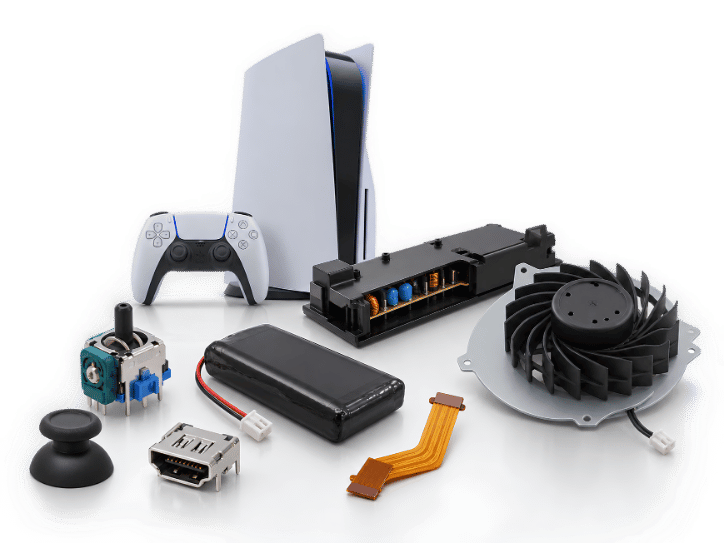
nahradne diely playstation

Choose a spare part according to the fault

Problems with the display, power supply, cooling or controls can have various causes. See the most common fault symptoms and the components that may be related to them.

Display interruptions

Choose the HDMI connector according to the console and the relevant hardware revision.

Unstable power supply

The power supply must correspond to the console model and the designation of the original part.

Noisy cooling

Choose a spare fan according to the console model, the designation of the original part, the connector and the design.

Controller drift

Choose the joystick according to the type of controller: DualSense, DualShock or PlayStation Portal.

Distinguish between the console and the controller

Console parts concern power supply, display, cooling or the drive. Controller parts address motion sensing, buttons, charging, the battery, flex cables, membranes and covers. DualSense for PlayStation 5 and DualShock 4 use different designs and designations, so they cannot be interchanged based solely on a similar name.

Console parts

HDMI connectors, power supplies, fans, lasers and USB connectors belong in the console.

Controller parts

Joysticks, batteries, buttons, connectors and flex cables belong to the exact controller type.

Illustrative visual: How to choose the right spare part

How to choose the right spare part

Before ordering, compare the console generation, the Slim or Pro variant, the controller designation and the hardware revision. For power supplies, check the designation, such as ADP or APS; for fans, check the number of blades or the intended version; and for controllers, check the board or model designation. If the designation does not match, the appearance of the part alone is not sufficient proof of compatibility.

1
Identify the device

Distinguish between PS5, PS5 Slim, PS5 Pro, PS4, PS4 Slim, PS4 Pro or an older console.

2
Verify the fault symptom

Connect the symptom with the area of display, power supply, cooling, drive or controls.

3
Find the designation

Compare the original part code, the controller model and the hardware revision.

Frequently Asked Questions (FAQ)

Is the joystick for DualSense compatible with DualShock 4?

Not automatically. DualSense and DualShock 4 use different controller designs, so you must choose a part intended for the specific model.

What does a hardware revision mean for a spare part?

A hardware revision indicates a specific version of the device or board that may determine the shape, connector and electrical compatibility of the part.

When should you look for a problem with the fan?

The fan may be suspect in the event of unusual noise or insufficient cooling, but before replacing it, dust, the power supply and other possible causes must be ruled out.

Are the PS4, PS4 Slim and PS4 Pro power supplies interchangeable?

Not automatically. Individual console versions use different power supplies. Before ordering, compare the exact designation of the original power supply and its compatibility.

Can a PS5 display interruption be caused by a part other than the HDMI connector?

Yes. The cause may be the HDMI cable, connector, control chip or another component of the display circuit. The cause of the fault must be identified before replacement.

MORE BENEFITS WHEN SHOPPING
Better value on replacement parts
Whether you repair devices yourself or professionally, take advantage of better prices on replacement parts, tools and other equipment through the Fix-Handyman and FixPartner programs.
Related categories
Going Green

Going Green

We are constantly improving our carbon footprint to protect our planet. Read more about how we are adapting our processes to reduce our footprint.

More info